Making a homemade USB cable can be a rewarding and practical project, whether you’re an electronics enthusiast looking to explore DIY solutions or someone in need of a custom-length cable. As a USB cable supplier, I’ve witnessed the growing interest in DIY cable-making, and I’m excited to share with you a detailed guide on how to create your own USB cable. USB Cable
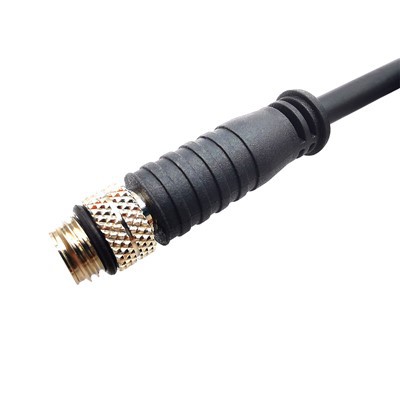
Understanding the Basics of USB Cables
Before we dive into the process of making a USB cable, it’s essential to understand the fundamental components and types of USB cables. USB, or Universal Serial Bus, is a standard interface used to connect various devices to computers and other power sources. There are several types of USB cables, including USB-A, USB-B, USB-C, and Mini-USB, each with different shapes and functions.
Most USB cables consist of four main wires: red, black, white, and green. The red wire is for the positive power supply (+5V), the black wire is for the ground (GND), the white wire is for the data negative (D-), and the green wire is for the data positive (D+). These wires are typically enclosed in a protective outer sheath for insulation and durability.
Tools and Materials You’ll Need
To make a homemade USB cable, you’ll need the following tools and materials:
- USB Connectors: Depending on your needs, you can choose from various types of USB connectors, such as USB-A male, USB-B male, USB-C male, etc. Make sure to select connectors that are compatible with your devices.
- Wire: You’ll need four separate colored wires (red, black, white, and green) with appropriate gauge. A common gauge for USB cables is 28AWG, which provides a good balance between flexibility and conductivity.
- Wire Strippers: These are used to remove the insulation from the ends of the wires. Make sure to choose wire strippers that are suitable for the gauge of the wire you’re using.
- Soldering Iron and Solder: Soldering is the process of joining the wires to the USB connectors. You’ll need a soldering iron with a fine tip and some lead-free solder.
- Heat Shrink Tubing: This is used to protect the soldered connections and provide additional insulation. Choose heat shrink tubing that is slightly larger in diameter than the wires and connectors.
- Heat Gun or Lighter: You’ll need a heat gun or a lighter to shrink the heat shrink tubing.
- Multimeter: Optional but recommended, a multimeter can be used to test the continuity and voltage of the cable before use.
Step-by-Step Guide to Making a Homemade USB Cable
Step 1: Prepare the Wires
- Cut the four colored wires to the desired length, leaving some extra length at each end for soldering.
- Use the wire strippers to remove about 1/4 inch of insulation from the ends of each wire. Be careful not to cut the wires themselves.
Step 2: Prepare the USB Connectors
- Examine the USB connectors and identify the pins for the power and data wires. The pinout may vary depending on the type of connector, so refer to the manufacturer’s specifications if necessary.
- If the connectors have a plastic housing, carefully remove it to expose the pins.
Step 3: Solder the Wires to the Connectors
- Heat the soldering iron and apply a small amount of solder to the tip.
- Hold the end of a wire against the corresponding pin on the connector and touch the soldering iron tip to the wire and pin. The solder should melt and flow around the wire and pin, creating a strong connection.
- Repeat this process for each of the four wires, making sure to connect the red wire to the positive power pin, the black wire to the ground pin, the white wire to the data negative pin, and the green wire to the data positive pin.
- Be careful not to let the wires touch each other during soldering, as this can cause a short circuit.
Step 4: Insulate the Soldered Connections
- Slide a piece of heat shrink tubing over each of the soldered connections. Make sure the tubing is long enough to cover the entire connection.
- Use a heat gun or a lighter to heat the heat shrink tubing until it shrinks and tightly fits around the connection. Be careful not to overheat the tubing, as this can cause it to melt or catch fire.
Step 5: Reassemble the USB Connectors
- If you removed the plastic housing from the connectors, carefully put it back on. Make sure the wires are properly routed and not pinched or damaged.
Step 6: Test the Cable
- Use a multimeter to test the continuity and voltage of the cable. Set the multimeter to the appropriate setting (e.g., continuity or voltage) and touch the probes to the corresponding pins on the connectors.
- Check that there is continuity between the power and ground wires and that the voltage is within the expected range (usually +5V).
- If the cable passes the test, it’s ready to use.
Tips and Tricks
- Use High-Quality Materials: Using high-quality USB connectors, wires, and solder will ensure a reliable and durable cable.
- Take Your Time: Soldering requires patience and precision. Take your time to make sure the wires are properly connected and the soldered joints are strong.
- Practice on Scrap Materials: If you’re new to soldering, it’s a good idea to practice on some scrap wires and connectors before working on your actual cable.
- Follow Safety Precautions: Soldering involves working with hot tools and potentially hazardous materials. Make sure to follow all safety precautions, such as wearing safety glasses and working in a well-ventilated area.
Why Choose Our USB Cables
While making a homemade USB cable can be a fun and rewarding project, it may not be suitable for everyone. If you’re looking for high-quality, reliable USB cables, look no further than our products. As a leading USB cable supplier, we offer a wide range of USB cables in various lengths, types, and colors to meet your needs.
Our USB cables are made from the highest quality materials and are rigorously tested to ensure the best performance and durability. We use advanced manufacturing techniques and strict quality control measures to ensure that every cable we produce meets the highest standards of quality and reliability.
In addition to our standard USB cables, we also offer custom cable solutions to meet your specific requirements. Whether you need a cable with a unique length, connector type, or color, we can work with you to create a custom solution that meets your needs.
Contact Us for Procurement

If you’re interested in purchasing our USB cables or discussing your custom cable needs, we’d love to hear from you. Our team of experienced professionals is ready to assist you with your procurement process and provide you with the best solutions for your needs.
Infiniband Series Camera Link HS Cable Please feel free to contact us to discuss your requirements, request a quote, or learn more about our products and services. We look forward to working with you and helping you find the perfect USB cable solutions for your business.
References
- Ralph Karam, "Practical Electronics for Inventors."
- Forrest M. Mims III, "Getting Started in Electronics."
Karobert Technology LLC Karobert Trading PTE. LTD.
We’re known as one of the most professional usb cable manufacturers and suppliers in China, also support customized service. Please feel free to buy high quality usb cable made in China here from our factory. For price consultation, contact us.
Address: 6250 S 196th St, Kent, WA, 98055, USA.
E-mail: karl@karobert-us.com
WebSite: https://www.karobert-us.com/
